 Kitful
How to Write Click-Worthy SEO Titles and Meta Descriptions with AI
Mastering AI for SEO metadata allows you to scale content without losing quality. This guide shows you how to generate high-performing snippets in seconds using the latest automation tools.
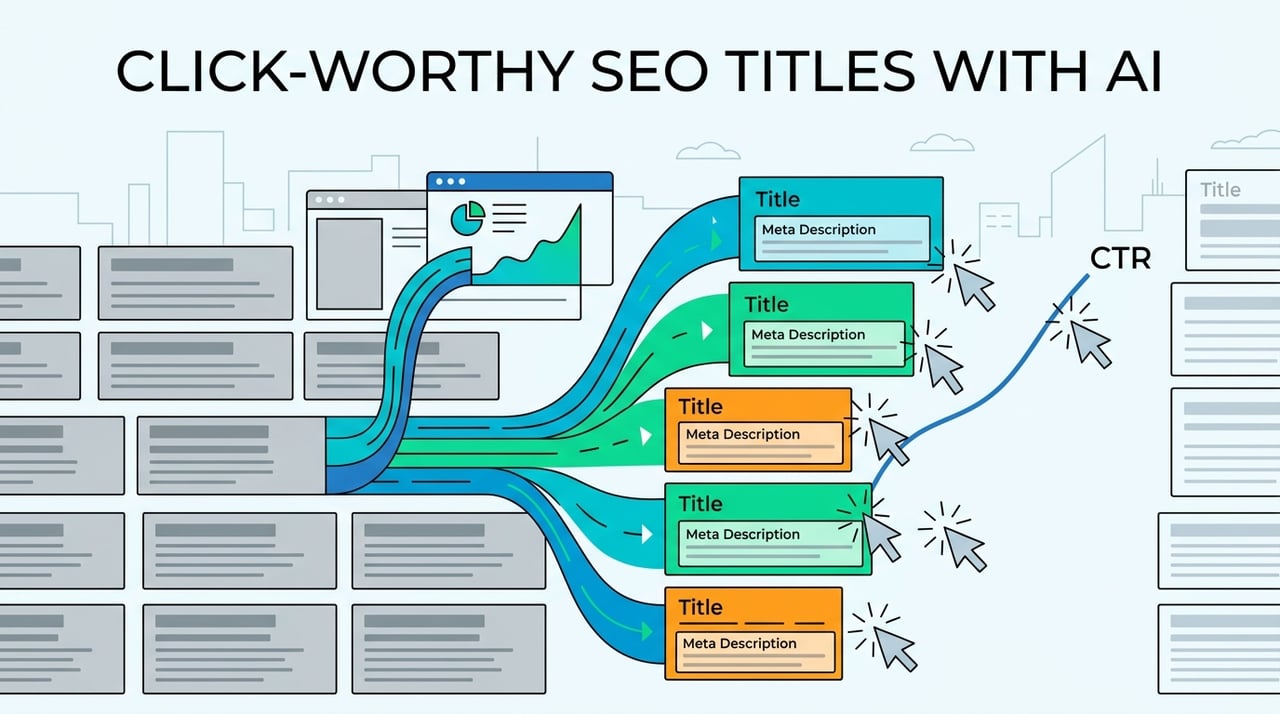
Writing meta descriptions by hand for thousands of pages is a huge waste of time. It drains your brain power and usually leads to nothing getting done. Most people think of metadata as a boring chore.
But these tiny blurbs are like digital billboards for your site. They play a big role in getting people to click your link. This is called your Click-Through Rate (CTR).
It's the main way a searcher decides if your site has the answer. If your blurb is boring or gets cut off, you lose people before they even arrive.
Doing this by hand is almost impossible as your site grows. If you have hundreds of posts, you can't write unique blurbs for all of them without burning out. AI changes everything.
By using a simple 5-step AI plan, you can fix your whole site fast. It's not just about saving time. It's about getting more clicks. Good blurbs can raise your CTR by 18%.
How Meta Descriptions Work Now
AI meta description tools are just apps that use smart language models. They look at your page and sum it up for search engines. These tools help make meta tags that show up under your title in Google.
Clicks and Rankings
A lot of people think putting keywords in these blurbs helps you rank higher. That's not how it works. Google doesn't look at the blurb to decide if you belong at the top.
But they are still very important for how people act. Think of these snippets as your sales pitch. Even if you aren't number one, a good blurb can steal the click from the top spot.
When searchers see exactly what they need in that short text, they click. Traffic grows because you are winning the battle on the page. It's about making the most of the views you already have.
Why AI is Changing How We Write
The real power of AI is how fast it works. Tools like GPT-4 or Claude can handle way more work than any person could. You can make hundreds of blurbs in minutes instead of weeks.
Getting Rid of Blank Page Stress
Trying to sum up a 2,000-word article is tiring. AI stops that. It gives you a solid start or a first draft to fix up. You can focus on the fun creative stuff while the AI does the boring work.
Helping Online Stores
Online stores with thousands of products have a hard time. Typing each one is slow and leads to mistakes. AI can keep the same voice across every item you sell. You give it the product info and it gives you unique blurbs that highlight why people should buy.
The goal is to find a good balance. You need to tell the reader what the page is about but also make them curious enough to click.
Step 1 Finding the Best Keywords
You need a goal before you use AI. AI can write fast, but without keywords, the text will be too plain. You want to pick the words you want Google to show in bold.
- Pick the main word: Choose one phrase that sums up the page. Ask the AI to put this in the first 60 characters.
- Choose a few extra words: Pick two or three related words for context. This helps the AI understand the topic without repeating words too much.
- Check the page: Make sure these words are actually in your content. If they aren't, people will leave your site as soon as they click.
Why People are Searching
AI is great with words, but it doesn't always know why someone is searching. You have to tell it. If a user wants a guide, use "how-to" words. If they want to buy something, the AI needs to sound like a salesperson.
Where to Put Words
Putting your main keyword at the start is a smart move. It helps both people and computers. When you give the AI your list, tell it to put the main word near the beginning. This helps people see quickly that your link is the best answer.
Step 2 Giving the AI Context
AI can make up facts if you don't give it rules. To get a good blurb, you need to provide the right info. You don't need the whole article. Just give it a cheat sheet.
- Write a short summary: Give the AI a two-sentence summary of what makes the page special. This keeps the AI focused on the facts.
- Mention big numbers: If your page has a "top 10" list or a cool stat, tell the AI to use it.
Bad blurbs might get a click, but people will leave fast. This tells Google that your page isn't helpful.
Using Summaries
When you give the AI a summary, you're setting the rules. Without this, the AI might guess what you do or what you charge. Adding a brief summary makes sure the blurb actually matches what's on the page.
Using Links
If your page is already online, many AI tools can just visit the link. This is often the easiest way to get the facts right. The AI will look at your headings and intro to make a blurb that fits. It saves you from copying and pasting.
Step 3 Picking a Good Brand Voice
AI can write in any style, but you have to tell it which one you want. The voice in your blurbs should match your brand. You want people to feel the same vibe in the search results that they feel on your site.
- Professional: This works for law, tech, or business. It sounds smart and clear.
- Persuasive: Use this for stores and sales pages. It uses strong verbs to get people to take action.
- Friendly: Great for personal blogs. It feels like talking to a friend and builds a quick bond.
Pro vs Sales Styles
A pro voice shows you know your stuff. This is big for health or money topics. A sales voice is built to make people feel excited. Pick the one that fits your goal best.
Staying Consistent
Using the same voice is how you get loyal fans. If your brand is usually funny, a dry blurb will feel weird to people. Matching the tone makes the whole experience feel smooth from the first click.
Step 4 Making and Comparing Options
- Put in your info. Start by giving the AI the main topic or a short summary.
- Make a few versions. Don't just take the first thing the AI says. Using a tool like the Kitful Meta Description Generator helps because it gives you 3 to 5 choices at once.
- Compare them. Look at how each one talks about the page. Pick the one that sounds like you but still makes people want to click.
Focus on Benefits
These versions focus on what the reader gets. If your post is a guide, the blurb should show the problem it solves. AI is great at turning long lists of features into quick sentences that grab attention.
Focus on Urgency
Sometimes a little push helps. These versions might use words that show why the info is important right now. Comparing these to the benefit versions helps you see what your readers like more.
Step 5 Checking the Length
- Check the count. The big rule is to stay between 150 and 160 characters. If you go over, Google will cut off your sentence.
- Use visual tools. Don't guess. Use tools that show you how much room you have left. Kitful uses colors that turn from green to red if you write too much.
Phones vs Computers
Mobile screens are thinner than computer monitors. You might have 160 characters on a laptop, but a phone will cut it off sooner. Put your best words in the first 120 characters to be safe.
Width Matters
Google actually measures blurbs in pixels, not just letters. A capital "W" takes up more space than a lowercase "i". Good AI tools know this and help you avoid getting cut off even when your letter count looks fine.
Best Ways to Add Keywords
Moving from making text to checking it is how you get the best results. You aren't just writing for a computer. You are writing for a person who is looking at a dozen different links.
Special AI tools are trained to keep things short while making the language sound natural. They know keywords should feel like a normal part of the sentence.
Think of your blurbs as small ads on Google. They shouldn't just say what's on the page. They should sell the click by promising a fix or a new idea.
No Keyword Stuffing
We've all seen blurbs that are just lists of words. It looks like spam and makes you look bad. AI helps you avoid this by weaving keywords into a real story. This shows people and Google that your content is high quality.
Making it Flow
A good blurb has a nice rhythm. It starts with the topic and ends with a reason to visit. If a sentence feels clunky just to hit a goal, simplify it. Your main job is to sound like a helpful person.
Common AI Mistakes to Avoid
AI is a great tool, but you can't just leave it alone. If you copy and paste everything, you might hurt your site. A human still needs to check that the text makes sense for a real person.
Tech Mistakes
- Getting cut off: Search engines cut blurbs off after 155 or 160 characters. AI often ignores these pixel limits, which leaves sentences half-finished.
- Too many keywords: AI sometimes forces words in too many times. This makes you sound like a robot and scares people away.
Quality Mistakes
- Using fluff: Words like "Check out our site today" are a waste of space. They don't tell the reader why they should click.
- Being too vague: AI might describe a product in a boring way if you don't give it details. You have to mention specific features to stand out.
Top AI Blurb Tools to Try
The right tool depends on your work. If you have a huge site, you need something that plugs into your backend. If you're just fixing a few posts, a web tool is faster.
Simple Web Tools
- Kitful: This is a great choice because it is free and you don't need an account. It's perfect for quick fixes.
- Ahrefs: This is good for people who already use their SEO tools. It focuses on being accurate and using keywords well.
- Copy.ai: This is a general writing tool with good SEO templates. It helps you brainstorm a lot of ideas at once.
Website Plugins
If you want to write and fix blurbs at the same time, use a plugin like AIOSEO. These live inside your WordPress dashboard. They use AI to suggest blurbs based on what you just wrote. This keeps things accurate and saves time.
How to See if Your Work is Helping
Once you update your blurbs, you need to see if they work. Clicks usually show changes faster than rankings do. Keep an eye on the numbers to see if people like your new snippets.
Using Google Search Console
The best way to check is by looking at your CTR in Google Search Console. Look for pages where your rank stayed the same but your clicks went up. That means your new blurb is winning.
Don't be shocked if your text doesn't always show up. Google rewrites blurbs about 70% of the time. They use text from the page that they think fits the search better.
Testing Different Hooks
To find what works best, try different styles. Use AI to make one "benefit" blurb and one "urgency" blurb. Run each one for a few weeks to see which one gets more people to click. This helps you learn what your audience really wants.
Getting Good at AI Metadata
AI isn't just a time-saver. It's a must for anyone who wants to grow a big site. If you have thousands of pages, writing every blurb by hand is a losing battle. A good AI plan lets you do the boring work in seconds.
The best results come when you work with the tech. Let the AI handle the counting and summing up. You add the final human touch. This keeps your brand voice strong while you get way more work done.
AI is great because it keeps your quality high across your whole site without making you tired.
Want to stop guessing and get more clicks? You can try Kitful right now. They have free credits to help you start, and the Pro plan is built for big projects. Give it a shot. Your traffic will thank you.
Quick Answers to Common Questions
How long should a meta description be in 2026?
Keep it between 150 and 160 characters so it doesn't get cut off. Put your main point in the first 120 characters so people on phones can see it.
Do meta descriptions help with SEO rankings?
They don't help you rank higher directly. They help you get more clicks from the spot you already have, which is how you get more traffic.
Can I use ChatGPT to write meta descriptions?
You can, but it often struggles with character limits. Using a tool like Kitful works better because it's built to handle SEO rules and pixel widths.