 Kitful
Free Blog Checker Tools to Audit and Improve Your Content Quality
Audit your blog posts effortlessly with top free blog checker tools. Evaluate title tags, meta descriptions, readability, heading structure, and on-page SEO signals to boost organic traffic.

A post can look finished and still carry errors that hold it back. A missing meta description, broken heading order, weak readability, or an indexability problem can leave a carefully written page with little search traffic.
That costs time twice. You spend hours writing the post, then spend more time guessing why it is not being found or read.
Free blog checkers turn that guesswork into a short repair list. They scan a published URL or draft text for metadata, keywords, headings, links, readability, and technical health signals, then point to the parts that need work. Fixing those issues before publishing, and revisiting older posts on a schedule, gives each post a cleaner path into search and a clearer experience for readers.
The useful part is the order of work. Start with errors that stop crawling or weaken page context, then tighten the copy. A high score alone does not write a helpful post, but it can expose the small publishing mistakes that keep good writing from doing its job.
Essential Takeaways for Free Blog Audits
Use a checker to find structural problems before they become a traffic problem.
- Live URL checks for published posts: Scan title tags, meta descriptions, headings, internal links, images, HTTPS, canonical tags, and indexability signals.
- Text checks for drafts: Paste prose or Markdown to review word count, keyword placement, heading structure, and sentence length before publishing.
- Readability targets: Aim for a Flesch Reading Ease score of 60 to 70 and keep average sentences under 20 words where the checker measures both.
- Routine review: Audit high-value posts again after updates and refresh them quarterly to catch broken links, stale metadata, and content drift.
Top Free Blog Checker Tools for On-Page Quality and SEO Audits
A useful checker starts with the kind of page you need to inspect. URL scanners catch problems in a live page, while a text checker gives you a chance to repair draft copy before it goes into your CMS.
This walkthrough covers the broader audit process:

1. Snezzi Free Blog SEO Checker
Snezzi Free Blog SEO Checker suits writers who want a quick on-page reading of a published post. It reviews the parts readers see in search and the on-page signals that help search engines understand the post.
Pros
- Overall SEO score on a 0 to 100 scale
- Reviews title length and meta descriptions
- Checks headings, readability, internal links, and image alt text
Cons
- Requires a live URL
- Focuses on a single post rather than recent-post patterns
Why Choose Snezzi Free Blog SEO Checker Over Quillly Blog SEO Checker?
Choose Snezzi after publishing when you need to inspect the page as search engines can access it. Its URL-based scan also covers links and image alt attributes.
2. BlogVitals Free Blog Audit Tool
BlogVitals Free Blog Audit Tool is for a broader health check that reaches beyond copy alone. Its audit covers SEO, engagement, readability, broken links, security, and trust signals.
Pros
- Runs 50+ real-time tests
- Includes broken-link and security checks
- Gives prioritised recommendations
Cons
- Requires a published page to audit
- Does not accept raw draft text or Markdown
Why Choose BlogVitals Free Blog Audit Tool Over Snezzi Free Blog SEO Checker?
Choose BlogVitals when a post needs a wider health review that includes broken links, security, and trust signals. Snezzi is the tighter choice for core on-page and readability checks.
3. CopyCrest Blog Quality Analyzer
CopyCrest Blog Quality Analyzer helps publishers inspect a recent run of posts instead of judging one URL in isolation. It reviews the three most recent posts and turns the results into dimension-level scores.
Pros
- Reviews 3 most recent posts
- Measures 7 quality and SEO dimensions
- Scores each dimension from 1 to 10
- Completes a three-post audit in 2 to 3 minutes
Cons
- Reviews recent posts rather than a chosen individual URL
- Does not accept pasted draft content
Why Choose CopyCrest Blog Quality Analyzer Over BlogVitals Free Blog Audit Tool?
Choose CopyCrest when you want to spot a recurring content-quality pattern across recent publishing. BlogVitals is better suited to a detailed audit of one live post.
4. Sakurahost Blog Readiness Checker
Sakurahost Blog Readiness Checker fits a launch review, especially when you want one score that covers technical and content basics. It checks foundation health, search indexability, discoverability, and page content.
Pros
- Audits 25 launch-readiness signals
- Covers indexability and discoverability
- Uses clear score thresholds for review
Cons
- Requires a live URL
- Does not check raw draft text before publication
Why Choose Sakurahost Blog Readiness Checker Over Seonio SEO Page Checker?
Choose Sakurahost for a readiness check where foundation and indexability are central concerns. Seonio is built for a faster, page-level on-page scan.
5. Quillly Blog SEO Checker
Quillly Blog SEO Checker is the pre-publish choice for writers working in a document or Markdown editor. Paste the draft, add the target keyword, and correct structural issues before the post has to wait for a crawl.
Pros
- Accepts text and Markdown input
- Checks word count, keyword density, readability, and headings
- Flags first-paragraph keyword placement
- Uses an 80+ score as a publish-ready threshold
Cons
- Does not inspect live-page technical signals
- Does not check existing internal links or image alt attributes on a published URL
Pricing
- Early-adopter tier: $9/mo for automated SEO checks
Why Choose Quillly Blog SEO Checker Over Yoast SEO Checker?
Choose Quillly while the post is still a draft and you need copy-level feedback. Yoast checks the live page, including technical signals that only exist after publication.
6. Yoast SEO Checker
Yoast SEO Checker is a live-page scan for writers who want to review visible on-page elements and technical crawl signals without signing up. It checks titles, descriptions, headings, links, canonical declarations, HTTPS, and robots.txt.
Pros
- Scans pages without signup
- Checks canonical declarations, HTTPS, and
robots.txt - Reviews title tags, descriptions, headings, and internal links
Cons
- Requires a published URL
- Does not accept raw draft copy
Pricing
- SEO Premium: $118.80 / year excluding VAT
- SEO for Shopify: $19 / 30 days excluding VAT
- Google Docs add-on: $5 / month excluding VAT
Why Choose Yoast SEO Checker Over Quillly Blog SEO Checker?
Choose Yoast after the page is live and you need to inspect canonical, HTTPS, and crawler-facing details. Quillly gives earlier feedback while the copy remains editable as a draft.
7. Seonio SEO Page Checker
Seonio SEO Page Checker works for a fast URL review when you need a graded report without a long wait. It checks metadata, heading structure, social previews, schema markup, images, and links.
Pros
- Produces graded scans in under 10 seconds
- Reviews social previews and schema markup
- Keeps audit results for 1 day
Cons
- Requires a live URL
- Limits retesting the same URL to every 5 minutes
Why Choose Seonio SEO Page Checker Over Sakurahost Blog Readiness Checker?
Choose Seonio for a quick page-level report that includes schema markup and social previews. Sakurahost gives a broader readiness score across foundation and discovery checks.
How Do Free Blog Checkers Compare Across Key Audit Capabilities?
The best input method depends on where the post is in its publishing cycle. Use a text checker before publication, then use a URL checker after the page is live and its technical markup exists.
| Checker | Input | Focus | Score |
|---|---|---|---|
| Snezzi Free Blog SEO Checker | Live URL | On-page SEO and readability | 0-100 |
| BlogVitals Free Blog Audit Tool | Live URL | Health, links, security, trust | Prioritised recommendations |
| CopyCrest Blog Quality Analyzer | Live URL | Three recent posts | 1-10 by dimension |
| Sakurahost Blog Readiness Checker | Live URL | Launch and indexability | Readiness score |
| Quillly Blog SEO Checker | Text or Markdown | Draft copy and keywords | Overall SEO score |
| Yoast SEO Checker | Live URL | On-page and technical health | Page scan |
| Seonio SEO Page Checker | Live URL | Metadata, schema, previews | Graded report |
A solo writer editing a draft should begin with Quillly because it accepts pasted copy. A site owner checking a published post should use Snezzi, Yoast, or Seonio, based on whether they need readability, crawl signals, or a fast schema and preview check.
CopyCrest takes a different view. It looks at the three most recent posts, which helps an editor see whether quality problems repeat across a publishing schedule. BlogVitals is the wider single-page health review, with 50+ real-time tests covering copy, links, security, and trust signals.
Use the tool that matches the current job, then fix the findings in the order they affect crawling, page context, and reader clarity.
How to Audit a Blog Post Using Free Checker Tools
Start with one post and one target keyword. The goal is a short list of fixes you can verify, not a score you chase forever.
- Choose the right input. Paste your draft into a text checker before publishing, or enter the URL of a live post into a URL checker. Add the primary keyword so the audit can review where and how often it appears.
- Read the failing flags first. Check the composite score, then sort the findings by impact. Missing titles, absent meta descriptions, broken headings, and indexability issues deserve attention before minor wording suggestions.
- Repair search-result metadata. Keep the title tag near 50 to 60 characters and write a meta description between 150 and 160 characters. Put the main topic early in the title, then make the description explain the benefit of reading the post.
- Fix the page structure. Use one H1, then arrange H2 and H3 headings in a logical order. Add 3 to 5 relevant internal links so a reader can continue to related pages and search engines can find supporting content.
- Edit for easier reading. Break dense paragraphs, shorten sentences to under 20 words where possible, and remove repeated keyword phrases that make the copy sound forced. A reader should understand the point without rereading the sentence.
- Run the check again. Re-scan the updated draft or URL and record what changed. If a warning remains, decide whether it reflects a real issue or a rule that does not fit the page.
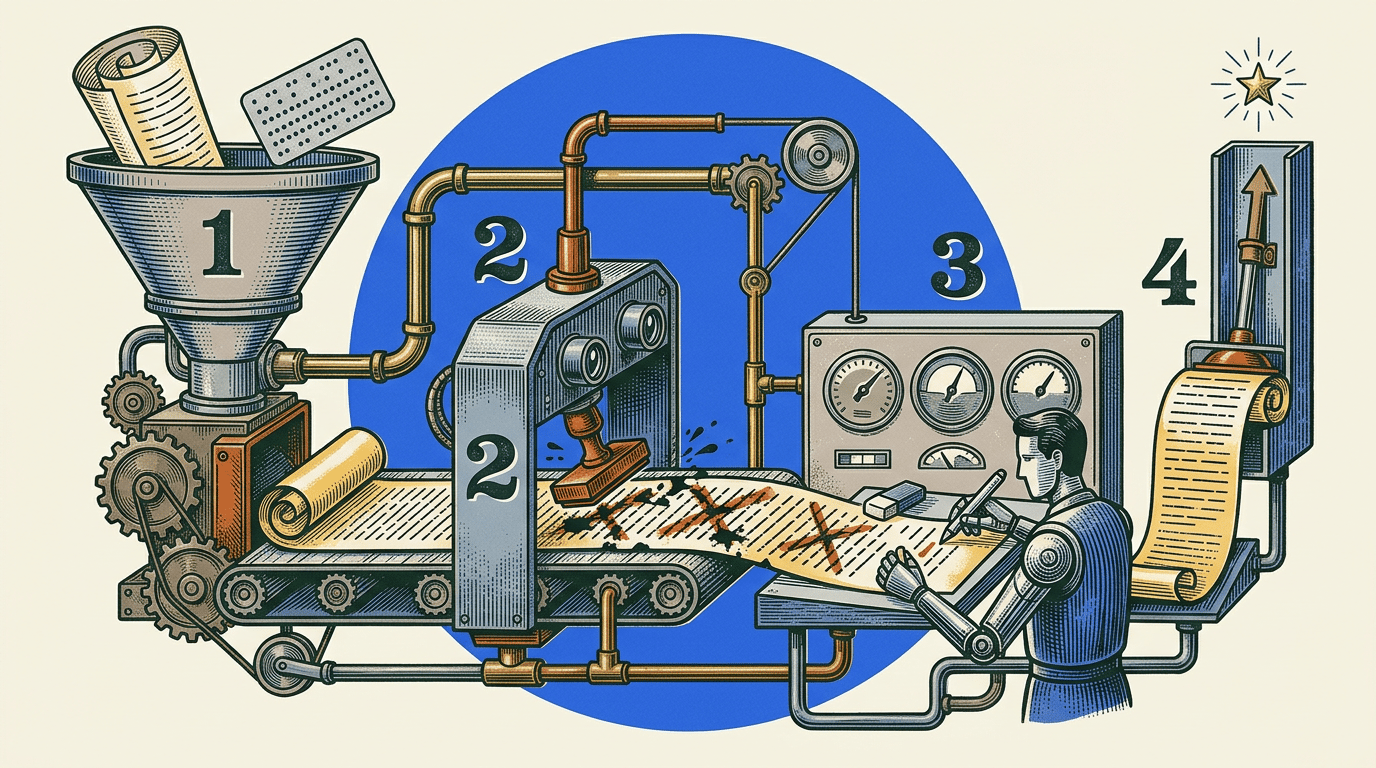
For example, a writer can repair a missing H1, trim long sentences, add three internal links to newer posts, and write a 155-character meta description before running the scan again. That leaves a record of the edits rather than a vague sense that the page was improved.
Once this becomes routine, keep the workflow compact with these on-page SEO optimization techniques for blog posts. One draft check and one live-page check cover different stages of the same post.
Which On-Page Quality and SEO Signals Impact Blog Scores Most?
Scores rise or fall on small page details. Search engines use those details to interpret the topic and crawl the page, while readers feel their effect through clarity and navigation.
Search Snippet Signals
The title tag and meta description shape how the post appears in search results. Keep title tags near 50 to 60 characters so they can display fully, and aim for 150 to 160 characters in the meta description.
A title should name the page topic directly. The description should give a clear reason to read it, rather than repeat the title in slightly different words. Use these principles when learning how to write meta descriptions that drive search clicks.
Heading Hierarchy
A single H1 tells readers and crawlers what the page covers. H2 and H3 headings then divide the answer into sections that follow a clear order.
Heading text should reflect real subtopics. Add keyword variations naturally where they describe the section, but do not force the same phrase into every heading.
Readability And Sentence Length
Snezzi recommends a Flesch Reading Ease score of 60 to 70, which maps to an 8th- to 9th-grade reading level. Quillly also flags average sentence length above 20 words.
Those checks are useful because long sentences and dense blocks make useful information harder to scan. Shorter sentences, plain verbs, and one idea per paragraph help readers stay with the post.
Keyword Placement
The target keyword needs a clear role in the opening, headings where relevant, and the body copy. Quillly places its keyword-density guidance between 0.5% and 3%.
For a 1,000-word article, that guidance works out to about 5 to 20 uses. Write the full answer first, then review the placement so the topic is clear without turning the page into repeated phrasing.
Technical Foundation
HTTPS, canonical declarations, sitemap presence, page response, and crawl rules affect whether a strong post can be discovered correctly. A noindex tag or broken sitemap can block progress even when the copy reads well.
Treat technical warnings as publishing checks. They belong beside grammar and link review, because readers cannot find a page that search engines cannot index.
What Are Common Pitfalls When Using Free Blog Auditing Tools?
A high score can still hide a weak post. Treat audit output as a repair list, then use editorial judgment to decide whether the page answers the reader's question well.
Chasing The Score
A checker can confirm metadata length or heading order, but it cannot fully judge tone, topical depth, or whether the post gives a useful answer. Fix clear errors first, then read the post as a visitor would.
Do not rewrite a useful sentence solely to move a score by a point. Keep the edit when it improves clarity, search context, or the reader's next step.
Writing To A Word Count
Longer posts do not automatically cover a topic better. Add detail that answers a likely follow-up question, explains a step, or gives a relevant example.
A 300-word threshold can flag thin draft copy, but it is not a target for every topic. The post needs enough words to answer the query completely.
Repeating The Keyword
Keyword density can expose underused or overused terms, yet exact repetition makes copy harder to read. Put the target phrase in the opening where it fits, then use clear language that describes the actual subtopics.
If the phrase sounds awkward, rewrite the sentence around the reader's need. A natural heading and a direct explanation do more work than a repeated keyword.
Skipping Technical Checks
Metadata and sentence length are easy to see. Canonicals, HTTPS, robots.txt, sitemaps, and broken links are easier to miss, yet they can limit discovery.
Run a live URL scan after publishing so those checks are part of the same review. Then re-audit the top 20 posts quarterly, which CopyCrest recommends, to catch traffic drift and aging content.
Frequently Asked Questions About Free Blog Checkers
What Does A Free Blog Checker Evaluate?
A free blog checker scans a published URL or pasted draft against on-page SEO and readability standards. Typical checks include title tags, meta descriptions, heading hierarchy, keyword placement and density, sentence complexity, internal links, image alt attributes, and technical health signals such as HTTPS, canonical tags, and indexability. The exact checks depend on whether it scans a live URL or raw text.
For example, an on-page audit may flag a title that is too long to display fully, a missing meta description, or an article with no logical H2 structure. Draft-focused tools can also check whether the target keyword appears naturally in the opening paragraph and whether the copy exceeds a word-count threshold. As practical benchmarks, title tags generally sit near 50 to 60 characters, meta descriptions run 150 to 160 characters, and an article should include 3 to 5 relevant internal links.
How Accurate Are Free Audit Tools?
They are highly useful for structural and technical rules that can be measured directly, including title length, heading order, link presence, keyword frequency, and HTTPS. They turn many small requirements into a prioritized list, which makes it easier to fix obvious issues before publishing or refreshing an older post.
However, an automated score is not an editorial verdict. A person still needs to judge tone, factual accuracy, topical depth, search intent, and whether the post genuinely answers the reader's query. Use the report to find measurable gaps, then review the revised copy as a reader would. Don't force awkward keyword repetition just to improve a single metric; natural coverage and a useful answer matter more.
What Is A Good SEO Score?
An overall score of 80+ is a publish-ready threshold in Quillly. Sakurahost treats 90+ as complete coverage of its ranking requirements, while a score below 60 signals failing items that hurt organic reach. Scores between tools are not directly interchangeable because each tool weighs different checks.
Treat the score as a triage tool. Resolve missing metadata, broken heading structure, indexability problems, and absent internal links before spending time on minor warnings. A post can have a strong score and still need better examples or clearer explanations, while a lower score may be quickly improved by correcting a few concrete errors.
How Often Should Existing Posts Be Audited?
Review the top 20 posts quarterly to help prevent traffic drift and content-quality decay. Start with pages that already matter most, then document the errors found and re-scan after making changes. This creates a repeatable refresh process rather than a one-time cleanup.
Should I Check Drafts Or Published URLs?
Do both at different points. Check draft text first for keyword placement, headings, word count, and readability. Aim for clear sentences; one common guideline is an average sentence length under 20 words and a Flesch Reading Ease score of 60 to 70. Then scan the published URL for metadata, internal links, canonical tags, images, and crawl-facing details that cannot be fully verified in a draft.
A simple workflow is to fix critical draft issues first, publish, run the URL audit, and re-scan once the updates are live. That final pass confirms that the page users and search engines can access matches the version you intended to publish.
Improving Blog Performance Through Continuous Quality Audits
Build the check into the publishing routine: inspect draft copy before it goes live, then scan the published URL for technical and on-page issues. Keep the same habit for quarterly refreshes of posts that matter most.
Start today with one post that has stalled or one draft ready to publish. Fix the highest-priority flags, re-scan it, and save the result as the baseline for the next review.