 Kitful




The right format, in your language
Both are set before Kitful starts writing, never converted afterwards.
Article type
Guide · English
An in-depth article organized around the reader’s problem.
Article language
 AI blog writer for Shopify
Kitful reads your store, then writes buying guides and comparisons with your own product photos and a link to each product page.
No card required. Cancel anytime.
Kitful wrote this one for a Shopify store. Review yours in the editor, then publish it to your Shopify blog.
Baby Shirts for Sensitive Skin: How to Choose One
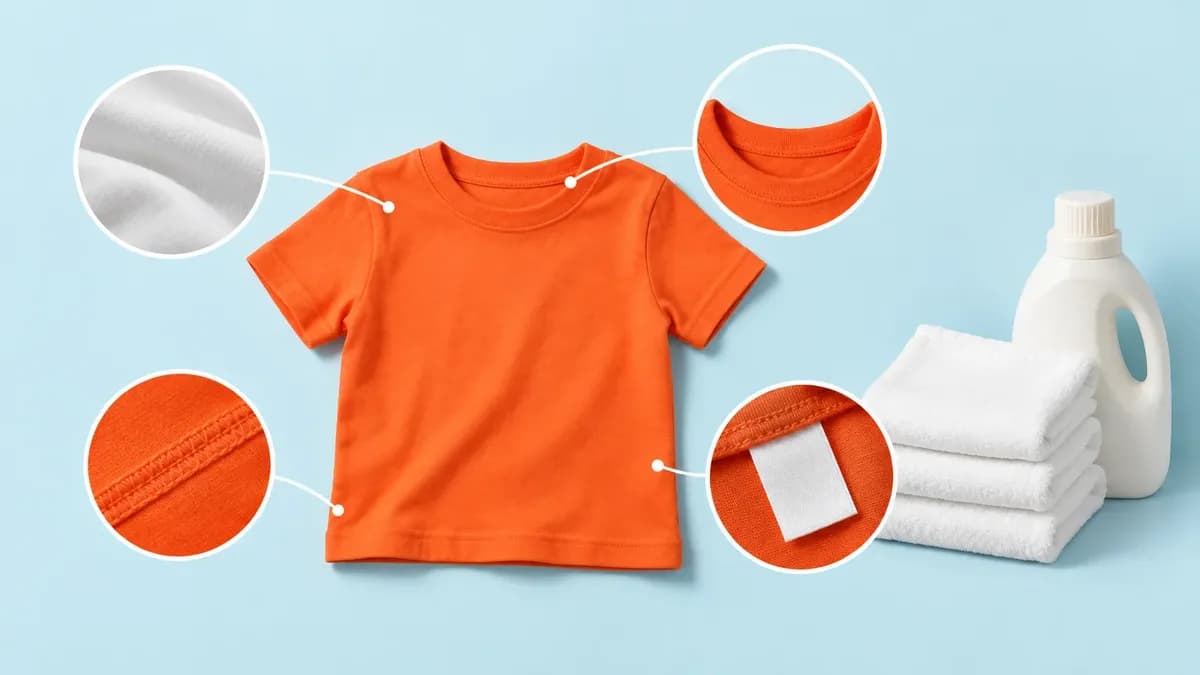
A good baby shirt for sensitive skin is soft, breathable and loose, with nothing that rubs, such as a stiff tag or a thick seam. A baby’s skin has a thinner outer layer than an adult’s, so small irritants show up fast.
Checking a real shirt: the Baby T-Shirt Lion

The Baby T-Shirt Lion is 100% certified organic cotton, which passes the fibre check. The exception is Heather Grey Melange, which is 85% organic cotton and 15% polyester, so pick another colour if you want a fully natural fibre.
In this article
Pick products and get article ideas, free.
On a paid plan, Kitful picks the topics and writes on your schedule.
Remove it for free, or swap in another for 5 credits.
It reads the products your store already shows to shoppers and publishes to the blog you choose. Your theme, product pages and product fields are never edited.
01
Create a site in Kitful with the address your shoppers use.
02
They appear on the Products page once your site is read. There are no keys to copy.
03
Pick products or take a suggested idea, then generate the article.
04
Send it to your Shopify blog, or copy it out and post it by hand.
Publishing to your Shopify blog uses a custom app you create in Shopify’s Dev Dashboard. Read the setup guide
Choose the format and language first. Voice, internal links, images, and publishing all happen in the same place.
Both are set before Kitful starts writing, never converted afterwards.
Article type
Guide · English
An in-depth article organized around the reader’s problem.
Train it from your published posts, a URL, or a file.
VocabularySuggestion to review
Prefer “sign up” over “register.”
Suggested from your edits to “The SaaS onboarding guide.”
Links point at pages you actually have.
…works best when onboarding emails and product tours support each other…
Pick once, and every article follows it.
You get the last look before anything goes live.
Scheduled publishing
Thursday, 9:00 AM
WordPress · Your local time
Publish to
$39per month250 credits
Every feature is on both plans.
Cancel anytime.
What it reads, what it changes and what it costs.
How product articles work See all integrationsKitful reads your store and suggests the first articles.
Start writing freeNo card required. Cancel anytime.